
HTTP Triggers
HTTP triggers allow you to call an HTTP(S) endpoint when a operation is performed on a specific table. This is useful if you want to perform some action when a new row is created, updated or deleted.
HTTP Trigger vs Database Triggers
HTTP triggers are different from database triggers. Database triggers are built into the database lifecycle and can be used with SQLite functions. Learn more about SQLite triggers here. HTTP triggers call a REST API external to the database and are called when a specific operation is performed on a table.
Creating an HTTP Trigger
In your database dashboard, navigate to the HTTP Triggers to view all active triggers on your database

A HTTP trigger is tagged to a specific table and write operation such as INSERT, UPDATE or DELETE.
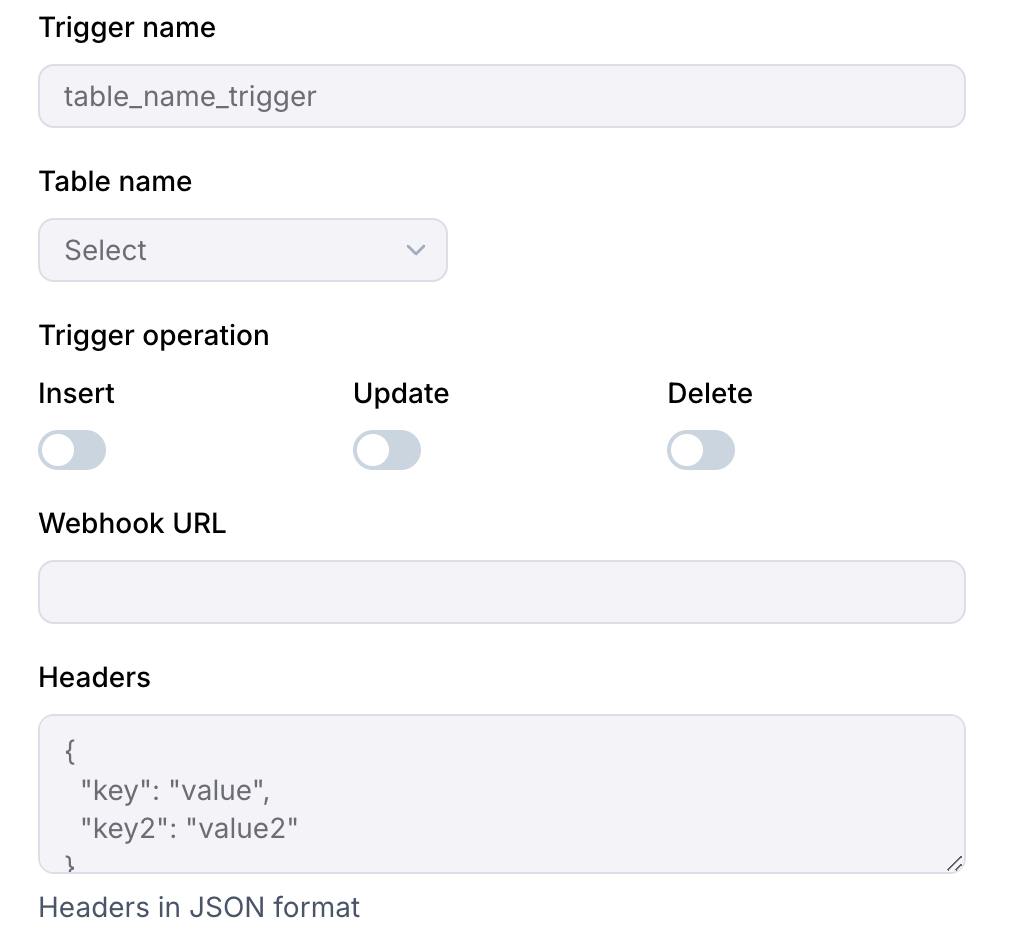
The Webhook URL will be called as a POST request with the headers defined in the form. The body will contain the JSON data for the operation performed.
Headers
The headers can be used to pass some context about the trigger to the webhook. A secret can be added to the headers to secure the webhook call as well.
Triggering a trigger
Besides the condition set in the trigger form, triggers have to abide by the following rules:
- The query method made into the database has to be done using
all,runorraw. - The query has to have a row change with either
INSERT,UPDATEorDELETE. - The query has a
RETURNINGclause. The returned data will be available in thepayloadof the webhook request. Webhook will not be triggered if the query does not return any data even if the conditions are met.
Example request body
Notes
- Multiple rows written in a single query will trigger one webhook call with all the returned rows in the payload.
- Multiple queries in a batch request will trigger a webhook call per query after the batch has been executed.
- Changes from the dashboard table editor can also trigger webhooks.
- HTTP triggers are called after the query has been executed successfully.
- Webhooks are required to return a
200status code for the trigger to be marked as successful or will be retried up to 3 times.